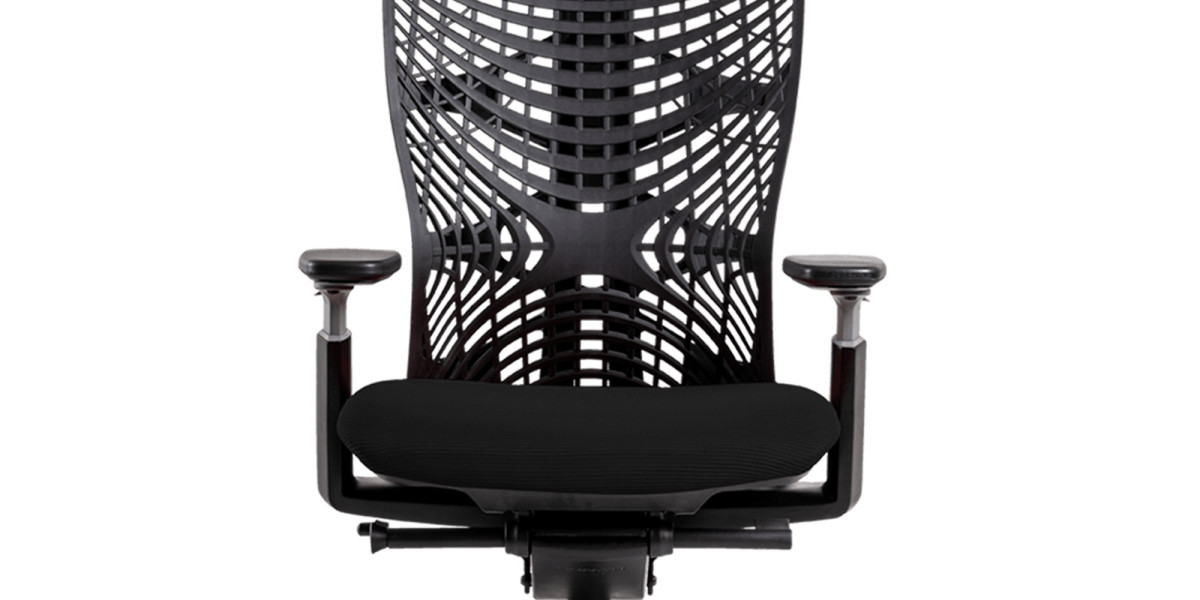

Investing in ergonomic chairs is a smart decision for anyone who spends long hours at a desk. However, simply owning one is not enough. To fully enjoy the benefits of ergonomic office chairs, you must adjust them properly according to your body and workspace setup. When adjusted correctly, ergonomic chairs can significantly improve posture, reduce back pain, and increase productivity.
In this guide, we’ll walk you through how to adjust your chair for maximum comfort—especially helpful for those purchasing ergonomic chairs in Pakistan, where awareness about workplace ergonomics is steadily growing.
Step 1: Adjust the Seat Height
Start with the seat height, as it forms the foundation of proper posture.
Sit upright with your feet flat on the floor.
Your knees should be at a 90-degree angle.
Your thighs should be parallel to the ground.
If your feet don’t touch the floor, lower the chair. If your knees are higher than your hips, raise it. Proper seat height reduces pressure on your lower back and improves circulation.
Step 2: Set the Lumbar Support
Lumbar support is one of the most important features of ergonomic office chairs.
Adjust the lumbar support so it fits into the natural curve of your lower back.
It should feel supportive but not overly firm.
Correct lumbar positioning prevents slouching and reduces lower back strain during long working hours.
Step 3: Adjust Seat Depth
Seat depth determines how much of your thighs are supported.
Sit back fully in the chair.
There should be about 2–3 inches of space between the edge of the seat and the back of your knees.
Too much depth can restrict circulation, while too little may reduce support.
Step 4: Position the Armrests
Improper armrest positioning can cause shoulder and neck pain.
Adjust the armrests so your shoulders remain relaxed.
Your elbows should rest comfortably at a 90-degree angle.
Avoid lifting or shrugging your shoulders.
Correct armrest height reduces tension in the upper body and supports better posture.
Step 5: Adjust the Backrest Tilt and Recline
Ergonomic chairs are designed to promote movement.
Slightly recline the backrest between 100–110 degrees for reduced spinal pressure.
Use tilt tension controls to allow natural rocking movement.
Changing positions throughout the day prevents stiffness and muscle fatigue.
Step 6: Set the Headrest (If Available)
If your ergonomic chair includes a headrest:
Adjust it so it supports the middle of your head.
Your neck should remain aligned with your spine.
This helps reduce neck strain, especially during long computer sessions.
Step 7: Align Your Chair with Your Desk
Even the best ergonomic office chairs won’t help if your desk setup is incorrect.
Your monitor should be at eye level.
Your keyboard should allow your wrists to stay straight.
Keep your screen about an arm’s length away.
A properly aligned workstation maximizes the benefits of ergonomic chairs.
Why Proper Adjustment Matters
Many people buy ergonomic chairs but fail to adjust them correctly. When used properly, these chairs:
Improve posture
Reduce back and neck pain
Enhance blood circulation
Increase comfort during long hours
Boost productivity
With the growing demand for ergonomic chairs in Pakistan, it’s important for users to understand that customization is key to unlocking their full benefits.
Final Thoughts
Buying ergonomic chairs is only the first step toward a healthier workspace. Proper adjustment ensures you get maximum comfort, support, and long-term health benefits. Whether you’re working from home or in a corporate office, taking a few minutes to fine-tune your ergonomic office chair can make a noticeable difference in your daily comfort.
As awareness continues to grow, more professionals choosing ergonomic chairs in Pakistan are learning that the right setup is just as important as the right chair.