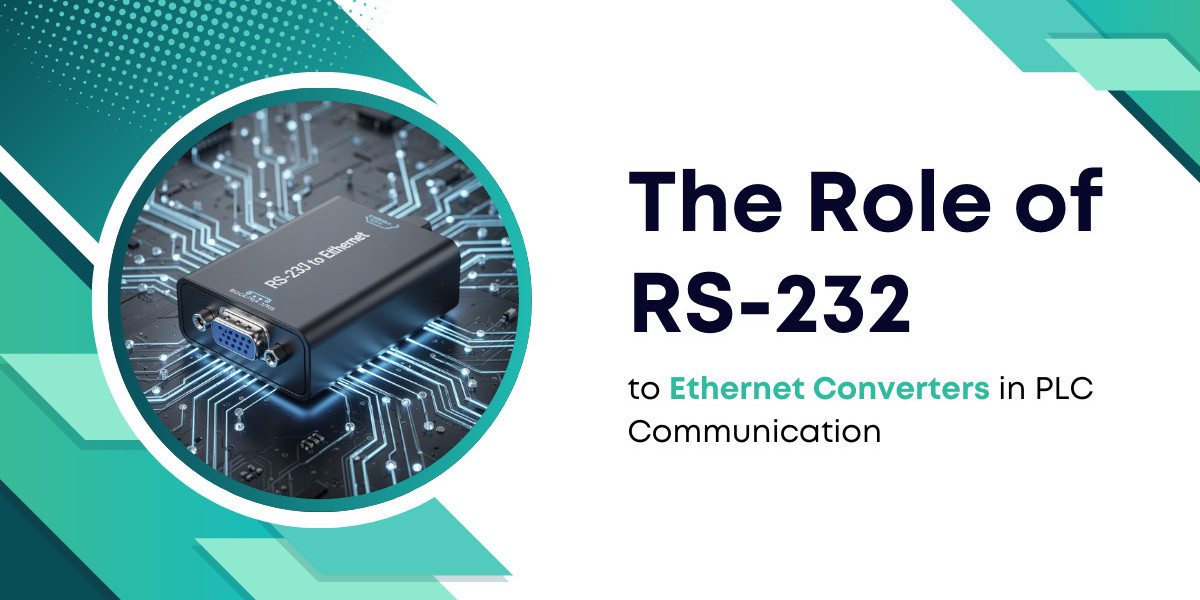

Programmable Logic Controllers (PLCs) form the backbone of industrial automation. These robust computers manage assembly lines, robotic cells, and chemical processes. Many older PLCs rely on the RS-232 serial standard for communication. However, modern factory floors run on high-speed Ethernet backbones. The RS-232 to Ethernet Converter serves as the vital bridge between these two worlds.
The Evolution of PLC Communication Standards
In the early days of automation, RS-232 was the gold standard. It provided a simple way to connect a computer to a controller. RS-232 uses single-ended signals to transmit data over short distances. Usually, these cables cannot exceed 15 meters without significant signal loss.
Modern industry now demands better connectivity. Ethernet offers speeds of 100 Mbps or 1 Gbps. In contrast, RS-232 usually tops out at 115.2 kbps. While serial is slow, the hardware is durable. Thousands of active PLCs still use serial ports because the hardware lasts for decades. Companies use converters to avoid the high cost of replacing functional PLCs.
How the Conversion Process Works
An RS-232 to Ethernet Converter acts as a small, specialized computer. It has a serial port on one side and an RJ45 Ethernet port on the other. The device performs several critical tasks:
Encapsulation: It takes serial data bits and places them inside TCP/IP packets.
Addressing: It assigns an IP address to the serial device.
Buffering: It holds data temporarily to prevent loss during network congestion.
Virtual COM Ports: It allows a PC to "see" the remote PLC as if it were plugged into a local serial port.
This process happens in milliseconds. To the PLC, the connection looks like a standard serial cable. To the network, the PLC looks like any other IP-based device.
Critical Benefits in Industrial Settings
1. Remote Troubleshooting and Programming
Before converters existed, technicians had to stand next to the machine. They used bulky "programming consoles" or laptops with serial cables. Now, an engineer can modify PLC code from an office in a different building. This capability reduces downtime significantly. If a machine stops at 3 AM, a specialist can log in from home to diagnose the fault.
2. Data Centralization and SCADA Integration
Supervisory Control and Data Acquisition (SCADA) systems need real-time data. An RS-232 to Ethernet Converter pulls data from legacy PLCs into a central server. This allows managers to see production counts, temperatures, and error logs on a single dashboard.
3. Breaking the Distance Barrier
As mentioned, RS-232 has a 15-meter limit. Ethernet can travel 100 meters over copper and kilometers over fiber optics. Converters allow a PLC on the far end of a massive warehouse to talk to a central controller without signal degradation.
Technical Specifications to Consider
When selecting a converter for PLC use, technical details matter. Industrial environments are harsh. A standard consumer-grade adapter will fail quickly.
1. Power Supply and Isolation
Industrial converters often use 12V to 48V DC power. This matches standard PLC power supplies. Look for galvanic isolation. This protects the PLC from electrical surges on the Ethernet line. High-voltage spikes can ruin a PLC processor if the converter lacks protection.
2. Protocol Support
PLCs use specific languages like Modbus RTU or DF1. A good RS-232 to Ethernet Converter supports "Raw TCP" or "UDP" modes. Some advanced models can even convert Modbus RTU (serial) into Modbus TCP (Ethernet) automatically. This is called protocol gateway functionality.
3. Environmental Durability
Factories have dust, heat, and vibration. Industrial converters feature metal housings and DIN-rail mounting. They often operate in temperatures from -40°C to 75°C.
Statistics on Industrial Connectivity
The shift toward networked industry is clear in recent data:
Market Growth: The serial device server market grows at roughly 7% annually.
Legacy Usage: Experts estimate that 30% of active industrial controllers still use serial communication.
Maintenance Savings: Remote diagnostics via Ethernet can lower travel costs for technicians by 40%.
Data Accuracy: Digitized serial data reduces transmission errors by 15% compared to long-run analog or serial cables.
Real-World Examples of PLC Conversion
1. Case Study: Automotive Assembly
A car manufacturer used older PLCs to control conveyor belts. The factory floor was too loud for technicians to work safely near the machines. They installed an RS-232 to Ethernet Converter on each station. Technicians moved to a soundproof control room. They monitored the entire line through the network. Production efficiency rose because communication was clearer.
2. Case Study: Water Treatment Plants
Water pumps are often spread across large geographic areas. A treatment plant used serial-based PLCs at each pump station. By adding Ethernet converters and cellular routers, they connected every pump to a central city office. They no longer sent trucks to check gauges. This saved the city thousands of dollars in fuel and labor every month.
Addressing Latency and Reliability
Some skeptics worry about speed. "Will the network slow down my PLC?" In most cases, the answer is no. Serial data is already slow. Ethernet is much faster. The bottleneck is the serial port, not the network.
However, network jitter can affect timing-sensitive applications. For high-speed motion control, engineers use "Real-Time Ethernet" protocols. For standard logic and monitoring, a standard converter is perfectly reliable. High-quality converters use "Heartbeat" packets. These packets check if the connection is still alive. If the wire breaks, the converter alerts the system immediately.
Installation Steps for Engineers
Setting up a converter involves a few logical steps:
Assign a Static IP: Never use DHCP for industrial equipment. The IP address must stay the same so the SCADA system can find it.
Match Serial Parameters: The baud rate, parity, and stop bits must match the PLC settings exactly.
Configure the Mode: Choose between TCP Server, TCP Client, or UDP. Most PLC applications use TCP Server mode.
Install Virtual COM Drivers: On the receiving computer, install software that maps the IP address to a "COM" port number.
Test the Loopback: Send a simple command to ensure data travels both ways.
Overcoming Common Challenges
Noise is the biggest enemy of serial data. In a factory, large motors create electromagnetic interference (EMI). Using shielded Ethernet cables (STP) helps. Keeping the serial cable between the PLC and the converter as short as possible also reduces noise.
Security is another concern. When you put a PLC on a network, it becomes a target. Always place converters behind a firewall. Disable unused services like Telnet or HTTP on the converter after setup. Use strong passwords for the configuration interface.
The Future of Serial Connectivity
Will we always need these converters? Eventually, every PLC will have a native Ethernet port. However, industrial machines have long lifespans. Many machines built today will run for 20 or 30 years. This means the RS-232 to Ethernet Converter will remain a staple in the engineer’s toolkit for a long time. It provides a cost-effective way to participate in the "Smart Factory" movement without buying all-new machinery.
Summary of Key Considerations
Feature | Importance | Reason |
Baud Rate | High | Must match PLC for any data to flow. |
Mounting | Medium | DIN-rail is standard for control cabinets. |
Isolation | Critical | Prevents electrical noise from frying the PLC. |
Software | High | Virtual COM drivers must be stable on Windows/Linux. |
Using an RS-232 to Ethernet Converter is a smart move for any facility. It protects your investment in legacy hardware. It also provides the data access needed for modern competition. By following the right technical steps, you can turn an isolated machine into a connected asset.